Recreation.gov manages reservations for over 3,600 facilities and 103,000 individual sites across federal lands. If you camp on National Park Service, USDA Forest Service, Bureau of Land Management, or Army Corps of Engineers land with a reservation, this is where you booked it.
The platform has improved significantly over the past several years, but the first time you dig into a campground listing — particularly for a large, complex campground with dozens of distinct site types — the interface is dense. Symbols you don't recognize, site-type terminology that assumes familiarity, tabs that contain important information you might not know to click. Understanding what you're looking at before you need to make a fast decision during a competitive booking window is worth the 10 minutes it takes.
Start With the Campground Overview, Not the Site Picker
When you search for a campground on recreation.gov, the first page shows you the campground-level listing. Before you touch the date picker, read this page.
The overview includes a description, photos, and — critically — tabs for Seasons & Fees, Rules & Cancellations, and Facility Information. Most people skip straight to availability. This is a mistake, because the tabs contain information that affects whether a specific date or site type even works for your trip.
Seasons & Fees tells you when the campground is actually open, which varies by elevation, climate, and management decision. A campground that shows available sites in November might not have water running, might have composting toilets instead of flush toilets, or might be operating on a first-come, first-served basis rather than reservations. The Seasons & Fees tab makes this clear — or at least clearer than the date picker will.
Rules & Cancellations contains the cancellation policy, quiet hours, generator restrictions, and vehicle length limits. Read this before booking. A maximum vehicle length of 20 feet disqualifies a 32-foot rig. Generator hours until 8 PM at a campground where you planned to sleep by 9 PM is relevant information. The cancellation policy determines how much flexibility you have if your plans change.
Facility Information covers the specific amenities: drinking water, restroom types (flush toilet vs vault toilet vs pit toilet), shower availability, dump station on-site, and whether there's a camp store or ranger station. "Vault toilet" means a non-flushing facility. If this is not acceptable for your group, you need to know before you book.
Decoding Site Types and Symbols
Once you enter your dates and see available sites, you're looking at a map view and list view populated with individual site markers. This is where the symbol literacy matters.
Site type terminology:
- Tent Only: No vehicles other than what you arrived in. No RVs, no vehicle camping. The site is designed for a tent set up on a designated pad.
- RV/Tent: Can accommodate either use, up to the stated length limit for the site.
- Full Hookup: Electric, water, and sewer connections at the site. You drive in, connect, and don't need to use the dump station.
- Electric Only: Power at the site; no water hookup or sewer. You'll fill your fresh tank elsewhere and use the dump station on departure.
- No Hookup: The site has no utility connections. You're operating off your battery bank, water tank, or propane — whatever you brought.
- Primitive: Minimal development — usually no electrical, no running water, sometimes no picnic table or fire ring. The exact definition varies by campground.
The electrical hookup numbers matter:
15-amp, 30-amp, and 50-amp service are not interchangeable. Large fifth wheels and Class A motorhomes typically require 50-amp. Most travel trailers and smaller Class C motorhomes run on 30-amp. If you need 50-amp and the site offers 30-amp, you either need an adapter and will run limited systems, or you need a different site. Recreation.gov lists the amp service on the individual site detail page — look for it before booking.
Loop and site numbering:
Large campgrounds organize sites into named or numbered loops. This is logistically relevant: two sites with adjacent numbers might be in different loops a quarter-mile apart. When you're choosing a site, check which loop it's in and whether that loop is near the facilities you care about. The campground map (usually accessible from the listing) shows loop layout relative to restrooms, water spigots, and trailheads.
Pull-through vs. back-in:
A pull-through site lets you drive straight in and straight out — no backing required. Back-in sites require reversing your vehicle or RV into the site from the road. For large rigs, backing into a tight back-in site with trees on both sides is genuinely difficult. The site details on Recreation.gov specify pull-through or back-in. If you're new to towing, filter for pull-through sites.
Accessible sites:
The wheelchair symbol indicates ADA-accessible design — typically a paved or hardened surface, accessible picnic table, and proximity to accessible restroom facilities. If accessibility is a requirement, the Facility Information tab also describes the overall accessibility of the campground beyond individual sites.
The Booking Window and Timing
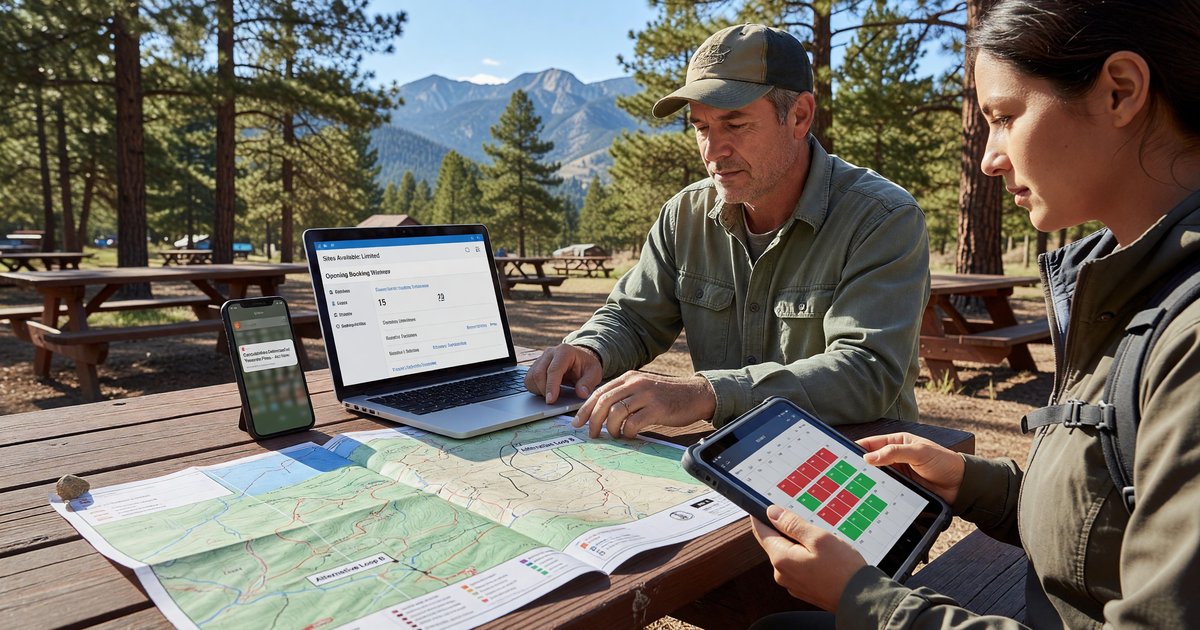
Recreation.gov operates on a rolling 6-month booking window that opens at 10:00 AM Eastern Time. A site available July 15 becomes reservable on January 15 at exactly 10 AM ET.
For the most competitive campgrounds — Yosemite Valley, Glacier's popular loops, many Grand Teton sites — that window fills within minutes of opening. For the vast majority of federal campgrounds, you have far more flexibility. The 6-month window is relevant for your planning; it's only a sprint for a small subset of high-demand sites.
Recreation.gov's own guidance recommends: set a calendar reminder for your target date, have your account logged in and your group size and payment information already saved, and add your dates before selecting a specific site rather than choosing a site first and then trying to confirm it's available on your dates. The system can time out while you're reviewing site details.
One tactical note: book a longer stay than you need, then modify it down. Recreation.gov allows modifications, and it's often easier to shorten a booking than to add nights to a sold-out campground. This works particularly well for shoulder season when adjacent nights may still be available but your target weekend is showing limited sites.
Where Cancellations Come From — and When
If a campground shows no availability, don't assume it's fully booked through your trip. Cancellations happen consistently throughout the booking cycle.
The highest concentration of cancellations occurs 10–14 days before check-in, when people finalize vacation plans and release reservations they're not going to use. For a trip you're planning with short notice, it's worth checking availability in that window rather than giving up when you first look. Recreation.gov does not have a formal waitlist, but setting up alerts through third-party services (like CampNab) that monitor specific campgrounds for cancellations is a legitimate strategy for high-demand sites.
What the Ratings Tell You — and What They Don't
Recreation.gov includes a Ratings & Reviews tab on campground listings with user-submitted reviews. These are genuinely useful for a specific kind of information: noise levels, cell service quality, whether the photos match reality, how well the facilities are maintained, and whether the campground host is helpful.
They're less useful for: evaluating whether a campground is "good" in some absolute sense, since ratings skew toward people who had unusually good or bad experiences; understanding site-specific conditions, since most reviews describe the campground generally rather than specific loop or site variations; and anything that changes frequently (reservation system quirks, temporary closures, seasonal conditions).
The most reliable official source for current conditions is the campground's page on the parent agency site — NPS, Forest Service, or BLM — rather than the Recreation.gov listing itself, which may lag in reflecting recent changes. When in doubt about conditions at a specific campground, call the ranger district directly. Their contact information is on the Recreation.gov listing under Facility Information.